Quote accepted. Job on the floor.
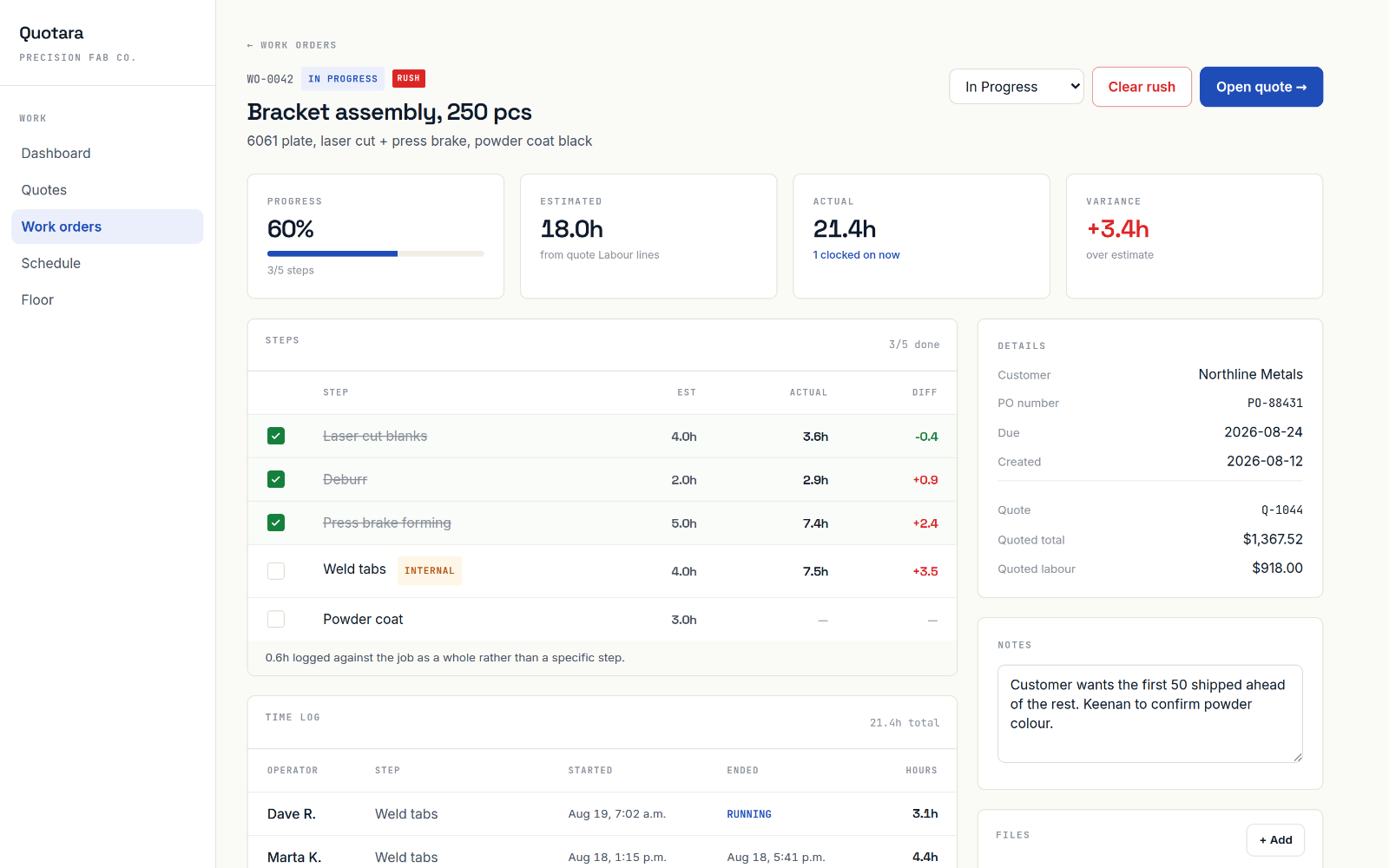
One click turns an accepted quote into a work order, with every labour line already broken out as a step. Mark it rush and your whole team sees it first.
One click from quote to work order
The quote already knows the job, so you don’t type it twice. Customer, job name, due date and every labour line come across, and each labour line becomes a step your team works through.
- Estimated hours per step, straight from the quote
- Actual hours fill in as people clock in
- Progress shown from hours logged, not guesses
Rush jobs go first. Everywhere.
Mark a job rush and it pins to the top of the work order list, the floor and the schedule, highlighted in red so nobody has to be told twice. Clear it and it drops back into line.
- Shows the same way on every screen
- Overdue jobs flagged automatically
- Estimated vs. actual hours on every row
| WO # | Customer | Due | Hrs (est → act) | Status |
|---|---|---|---|---|
| RUSHWO-0051 | Northfield Pumps | Tomorrow | 6.0 → 2.5 | In progress |
| WO-0048 | Ridgeway Trailer | Oct 24 | 14.0 → 9.2 | In progress |
| WO-0047 | Hollis Ag Supply | Oct 21 | 8.5 → 10.1 | QC |
| WO-0045 | Barrow Marine | Oct 29 | 22.0 → 0.0 | Waiting parts |
Your statuses. Your files.
Add the statuses your shop actually uses, like Design, Waiting Parts or Ready to Ship. Attach drawings and photos to the job so the person running it has them at the machine.
- Custom statuses with your own colours
- Operators see the files, never the pricing
- Work orders without a quote for time-billed repair work
| File | Added | Size |
|---|---|---|
| BRK-2207 rev B.pdf | Oct 14 | 1.2 MB |
| Weld map, frame.jpg | Oct 15 | 840 KB |
| Customer PO 88412.pdf | Oct 15 | 96 KB |
AI built into Quotara
Quinn’s labour lines become your steps
When Quinn drafts the setup and run-time lines on a quote, those same lines become the steps on the work order. The estimate your customer accepted is the plan your floor follows.
See it on your own job.
14 days free, no credit card. Or book 20 minutes with the founder and bring a drawing: we’ll quote it live.