Quote in minutes, not on Sunday night.
Describe the job or drop in the drawing. Quinn drafts the lines from your own rates, you adjust what needs adjusting, and the customer gets a clean PDF they can accept online.
Quinn drafts the first version
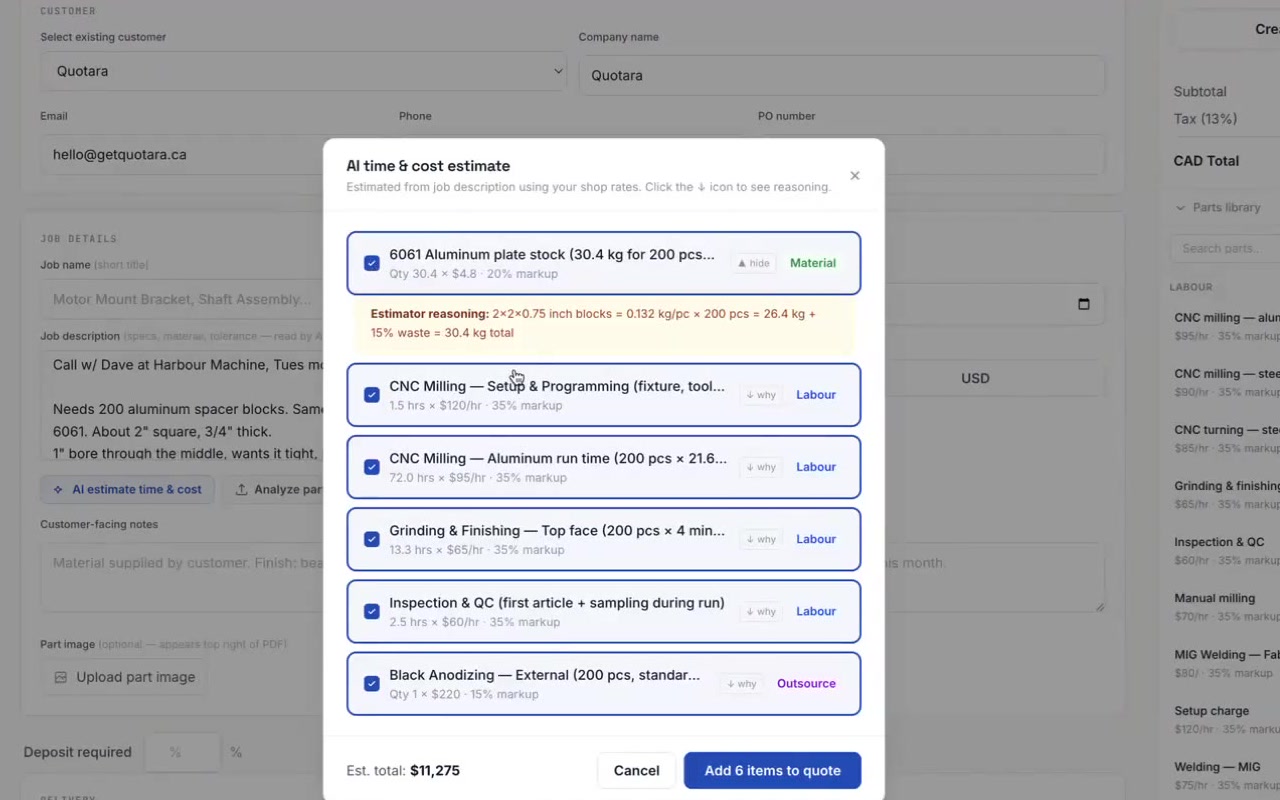
Type the job the way the customer described it, or upload the drawing. Quinn works out setup, cycle time per piece, material with cutoff, and outside work like anodizing, then prices each line from your rates and your parts library.
- Each line shows Quinn’s reasoning, so you can see how it got there
- Reads PDF drawings and photos, up to 10 files for one job
- Nothing goes on the quote until you add it
Send it. They accept it online.
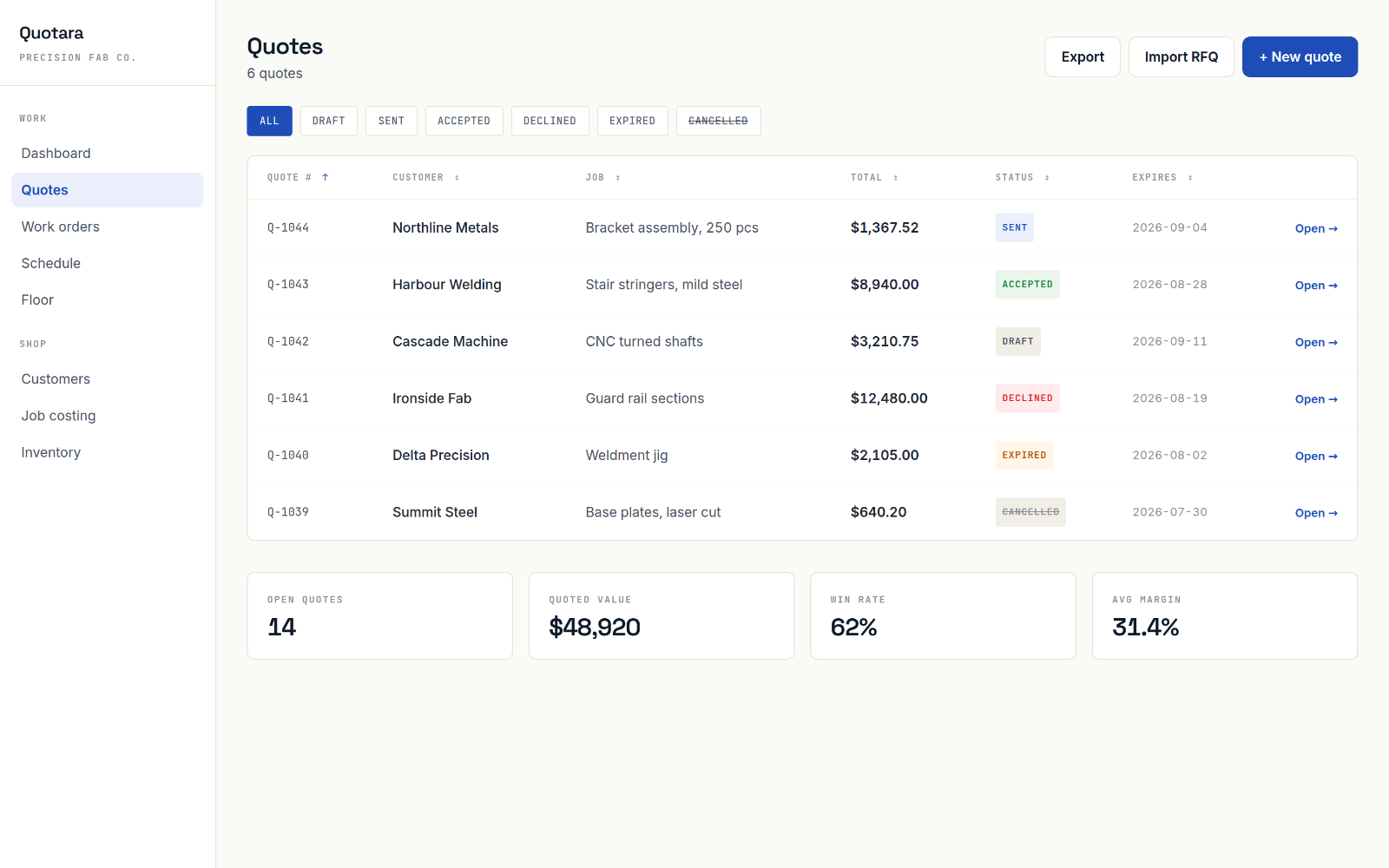
Quotara builds the PDF and emails it from the app. Your customer opens a link, reviews the quote and clicks accept or decline. The status changes the moment they do, and you get an email.
- Two taxes per quote, so GST and PST or QST work the way they do on your invoices
- Deposits, discounts, PO numbers and expiry dates
- Quotes in English or French, in CAD, USD, NZD, AUD or GBP
Catch the mistake before the customer does
Before a quote goes out, Quinn looks it over for the things that cost money later: a line with no rate, hard material, a tight tolerance, outside work with no delivery date.
- Flags an average markup under 15%
- Warns when a big job has no PO number
- Spots finishes in the description that never made it onto a line
AI built into Quotara
RFQ emails become draft quotes on their own
Forward RFQs to your shop’s Quotara address. Quinn reads the email and any attached drawings, pulls out the customer, quantities and material, and leaves a draft quote waiting for you.
See it on your own job.
14 days free, no credit card. Or book 20 minutes with the founder and bring a drawing: we’ll quote it live.